
Disclosure: GAMENYX’s operator has a paid performance-marketing (CPA) offer for War Thunder through AfBooster. The play button on this page is an affiliate link: if you install and play through it, GAMENYX may earn a commission at no extra cost to you. That relationship did not decide what’s below. See our Affiliate Disclosure. This guide is research-based, not a scored hands-on review.
War Thunder has been around for more than a decade, and it’s still getting large updates: the latest major update, “Eagle’s Shadow”, arrived on 11 November 2026. That longevity is both its biggest strength and the thing new players should understand before installing. Here’s what the game is, what it asks of you, and who it suits.
What it is
War Thunder is a free-to-play vehicle combat game from Gaijin Entertainment. It went into open beta in late 2012, launched on Steam for Windows in August 2013 and had its official release in December 2016. Today it runs on Windows, macOS, Linux, PlayStation 4 and 5, Xbox One and Xbox Series X|S, and players on all of them fight on the same servers.
You don’t control a soldier. You control a vehicle:
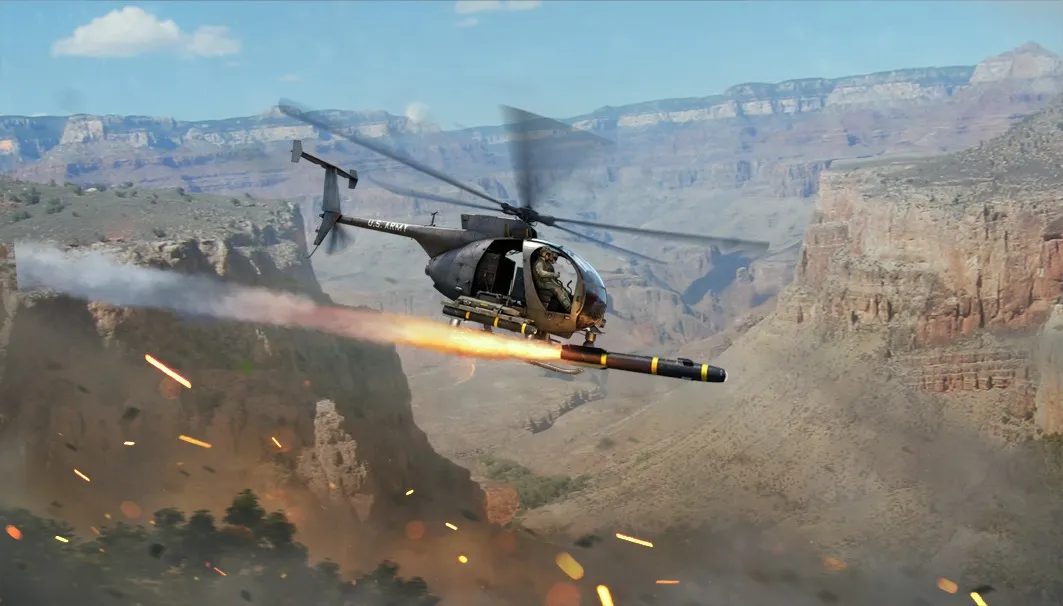
- Aviation: propeller planes, jets and helicopters.
- Ground forces: tanks, tank destroyers, anti-aircraft vehicles and more.
- Fleet: coastal boats and larger “bluewater” ships.
The range runs from early aircraft and pre-war tanks to modern fighter jets and main battle tanks, spread across the research trees of many nations.
Three ways to play the same battles
War Thunder’s official wiki describes three main PvP modes, and picking the right one matters more than anything else for a first impression:
- Arcade Battles: the most simplified mode, the easiest to learn and the most fast-paced. This is where most new players should start.
- Realistic Battles: aimed at more experienced players. Physics and controls are closer to the real thing, with some simplifications left in.
- Simulator Battles: full immersion in controlling the vehicle. This mode is built for players with patience and, ideally, a joystick or flight stick.
Because one game holds all three, you can start casual and move toward realism only if you want to.
Why it’s worth trying
It’s free, and the core game is the whole game. The base game costs nothing on Steam or the official launcher, and you can play every mode without paying.
Few games cover this much. Planes, helicopters, tanks and ships, across many nations and decades, in one client. If you like military history or vehicles, the variety alone is the hook.
It’s still actively updated. Large updates keep adding vehicles and features in 2026, so this isn’t a game coasting on its past.
Cross-platform battles. PC, Mac, Linux, PlayStation and Xbox players share servers, so matchmaking doesn’t depend on your platform.
What it asks of you
Patience with progression. Vehicles are unlocked nation by nation through research trees, and reaching modern jets or tanks takes a long time. Players who enjoy the climb love this. Players who want everything quickly usually don’t.
A learning curve. Even in Arcade, knowing where to aim on an enemy tank, how to use terrain and when to retreat makes a big difference. Expect to lose a lot in your first hours.
A clear spending rule. Premium vehicles can be bought with real money or in-game currency, and there are paid packs. None of this is required to play, but decide what you’re willing to spend before you start.
Who should play it
- You like planes, tanks or ships and want to drive or fly them, not just shoot at them.
- You want a long-term free game you can return to for months or years.
- You’d like to choose your level of realism, from arcade to full simulation.
Who should skip it
- You want short, instant-fun sessions with fast unlocks.
- You prefer infantry shooters. Gaijin’s own Enlisted puts you on foot with a squad, with vehicles as support (see our Enlisted vehicles and aviation guide).
- You’d rather avoid games with a long grind at their core.
On PC
On Windows, Steam lists a 64-bit Windows 10 PC with a dual-core 2.2 GHz CPU, 4 GB of RAM and a GeForce GTX 660 or Radeon 77XX-class card as the minimum. The recommended setup is an Intel Core i5 or Ryzen 5 3600, 16 GB of RAM and a GeForce GTX 1060 or Radeon RX 570. Steam lists 70 GB of storage for the minimum and 95 GB for the recommended setup, and the official site lists smaller “minimal client” downloads, so check both before you install on a small drive. macOS (Catalina 10.15 or newer, Metal support required) and Linux are supported too.
In fast battles a steady frame rate matters more than maximum detail. Our guide to smooth PC gaming without chasing Ultra settings covers the essentials.
Bottom line: in 2026, War Thunder is worth installing if you like military vehicles and want a free game with real depth that you can play for a long time. Start in Arcade, focus on one nation, and give it a few evenings before you judge it. If you want quick unlocks and short sessions, it’s probably not for you.
Sources
Dates, platforms, system requirements and mode descriptions in this guide were checked against these pages in November 2026:
- War Thunder on Steam (Gaijin Entertainment)
- Game modes (official War Thunder Wiki)
- System requirements and “Eagle’s Shadow” major update news (warthunder.com)
- War Thunder (Wikipedia)