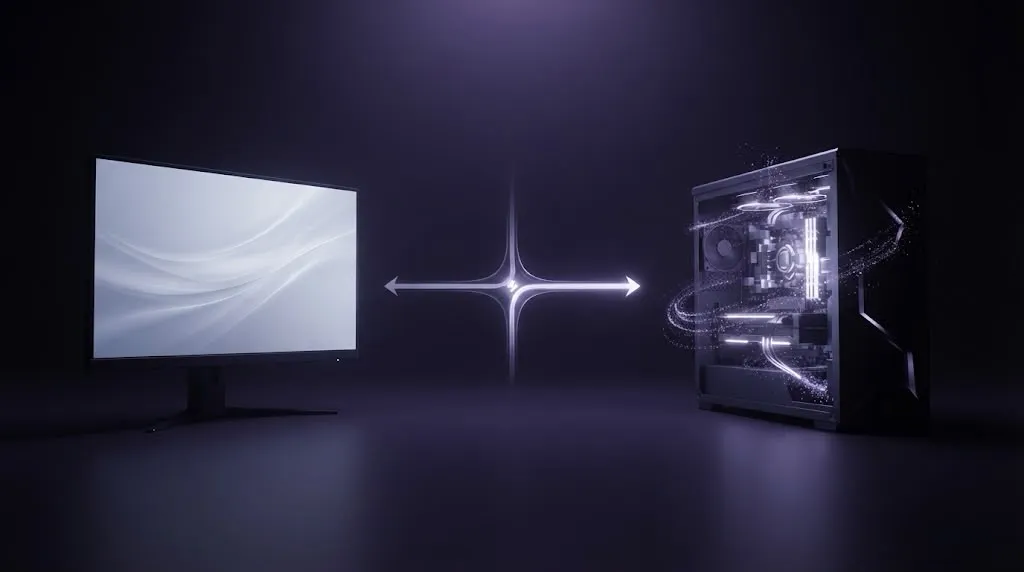
If you can only afford one upgrade this cycle, buy whichever component is actually stopping you from getting the experience you want, not whichever one feels older or more exciting to shop for. That’s the whole decision. The hard part is figuring out, honestly, which one that actually is.
Quick decision check
Work through these in order:
- Can your GPU already produce the frame rate you want, in the games you actually play? If no, your GPU is the limiting factor. Skip to “buy the GPU first” below.
- If yes, is your monitor actually letting you use that performance? If your display’s refresh rate, resolution or motion quality is holding back what your GPU can already deliver, your monitor is the limiting factor.
- If neither is clearly true, you’re likely already getting a good experience from both, and the honest move is to hold onto your budget for an upgrade that will actually change something.
The rest of this guide is about answering questions 1 and 2 honestly, since that’s where most people get it wrong in either direction.
Buy the monitor first if…
Your GPU is already producing more frames than your current display can show. A GPU that comfortably sustains well above 60 frames per second in your games, paired with a 60Hz monitor, is discarding rendering work you’re already paying the power and heat cost for. The display is the ceiling here, not the graphics card.
Or the part of the experience actually bothering you is about the panel, not the frame rate: motion that looks smeared during fast turns, colors and contrast that look flat, or a picture that just doesn’t look as sharp or punchy as you expect. No GPU upgrade fixes any of that. Those are properties of the display itself. Our OLED vs IPS breakdown covers the panel-level tradeoffs that actually drive that kind of complaint.
Or your games run great, but the monitor itself no longer fits how you actually use it: size, resolution, aspect ratio, or a desk setup that’s changed since you bought it. That’s a legitimate reason to upgrade the display on its own terms, independent of anything your GPU is doing.
Buy the GPU first if…
Your GPU can’t sustain the frame rate you want in the games you actually play, at the settings you actually use, regardless of what your monitor is technically capable of showing. A 240Hz monitor paired with a GPU averaging 90 frames per second in your games isn’t using most of what it can do; the ceiling has already moved to the graphics card.
Or you’re already having to drop resolution, textures, or major visual settings just to keep things playable. That’s a GPU running out of headroom, not a monitor problem, and no display purchase changes it.
Before spending on a GPU, though, it’s worth ruling out the cheaper fix first: our guide to smooth PC gaming without chasing Ultra settings walks through frame-time tuning, upscaling, and settings changes that can meaningfully close the gap without buying anything. If you’ve already worked through that and the ceiling is clearly hardware, that’s a real signal the GPU itself is the actual limit.
When a better monitor can actually make things worse
Moving to a higher refresh rate or a higher resolution display without the GPU headroom to match it doesn’t fix anything. It just exposes a shortfall your old monitor was quietly hiding. A 240Hz panel sitting mostly at 90 frames per second, or a sharper display that forces constant compromise settings just to stay playable, can feel like a downgrade in practice even though the spec sheet improved. The monitor didn’t create the problem, but it made it impossible to ignore.
When a faster GPU won’t fix the experience
If your GPU is already producing more frames than your monitor can display, spending more on GPU horsepower buys performance you literally cannot see. And if what’s actually bothering you is color, contrast, motion clarity, size, or how the monitor fits your desk, none of that changes no matter how much rendering power you add. Those are display-side properties, not rendering-side ones.
Resolution changes the decision
Resolution sits at the intersection of both components. It’s a monitor spec, but it directly sets how much work your GPU has to do to fill every frame. The same GPU that comfortably sustains a fast frame rate at one resolution can struggle noticeably at a higher one, so a resolution upgrade is really a GPU-workload decision wearing a monitor-shopping disguise. That’s exactly why “just buy the sharper monitor” and “just buy the faster GPU” can’t be evaluated separately: raising one changes what the other has to do. Our monitor buying guide covers how resolution and size interact with viewing distance, which matters just as much once you’ve settled the GPU side of this decision.
Check your real bottleneck before spending
Watch your actual frame rate, using your GPU’s own overlay tools or the game’s built-in counter, while playing the specific titles you care about, at the settings you actually use. Don’t rely on spec sheets or what a different game showed. If frame rate consistently sits well below your monitor’s refresh rate across your real games, that points at the GPU. If it consistently sits well above, that points at the display. If it varies by title, expect the honest answer to vary too. There isn’t always one verdict that covers every game you play, and that’s fine. Weight your decision toward the games you spend the most time in.
It’s also worth ruling out that the bottleneck is neither component: background software, insufficient storage or memory, and CPU limitations in certain games can all cap performance independently of your graphics card or display. If your GPU looks capable on paper but frame rate is still poor everywhere, that’s worth checking before assuming the GPU itself needs replacing.
Three practical upgrade scenarios
A capable PC with an old or basic display. The GPU already produces more frames than a dated 60Hz monitor can show. The unused headroom is sitting on the GPU side already, and the monitor is the upgrade that actually unlocks something here.
A weak GPU paired with an already-capable monitor. The display supports a high refresh rate and strong resolution, but the graphics card can’t sustain frame rates anywhere near what the panel could show. The monitor isn’t the problem; it’s underused.
A balanced system with no real limitation. Both components are already matched to the games actually being played, and the only thing pulling toward an upgrade is a newer number on a spec sheet, not an actual limitation felt during play. This is the case where the right move is to wait and save toward a bigger, more meaningful jump later, rather than a marginal side-grade now.
Final decision
- GPU sitting idle, monitor holding it back → monitor first.
- Monitor capable of more than the GPU can deliver → GPU first.
- Both already matched to the games you play → wait, and save toward a bigger upgrade.
- Not sure which one it is → measure your real frame rate before spending anything, using the bottleneck check above.
The right first upgrade is never the newer-sounding component. It’s whichever one is actually standing between you and the experience you’re trying to get.
Sources
Facts in this guide were checked against these pages in October 2026:
- Refresh rate test methodology (RTINGS)
- Motion blur and response time test methodology (RTINGS)
- NVIDIA DLSS (NVIDIA)